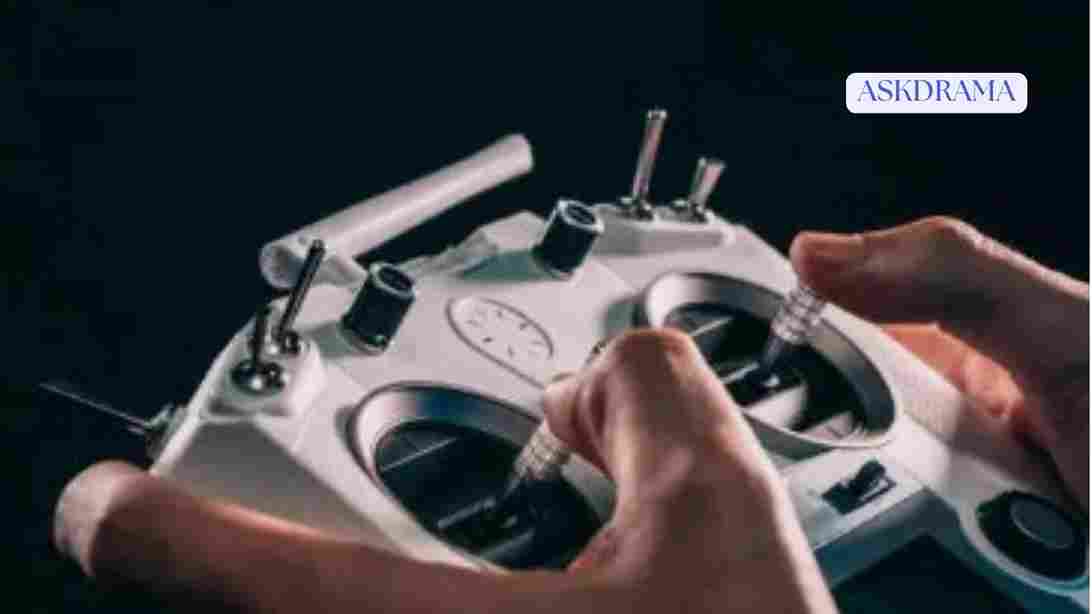
Drone calibration is one of the most important steps to ensure safe, stable, and accurate flight performance. Whether you’re a beginner or an experienced pilot, understanding how to properly calibrate your drone can prevent crashes, improve flight stability, and enhance overall performance.
What Is Drone Calibration?
Drone calibration is the process of aligning the drone’s internal sensors so it can accurately understand its position, orientation, and movement. These sensors include the compass, gyroscope, and IMU (Inertial Measurement Unit).
Proper calibration ensures your drone can:
- Maintain stable flight
- Accurately detect direction and position
- Respond correctly to control inputs
- Use GPS features effectively
Why Calibration Is Important
Without proper calibration, your drone may behave unpredictably. Common problems include drifting, unstable hovering, or even flyaways.
Calibration helps:
- Improve flight stability
- Enhance GPS accuracy
- Prevent crashes
- Ensure smooth operation
Types of Drone Calibration
1. Compass Calibration
Aligns the drone’s compass with Earth’s magnetic field.
2. Gyroscope Calibration
Ensures the drone detects movement and orientation correctly.
3. IMU Calibration
Calibrates multiple sensors, including accelerometers and gyroscopes.
4. Gimbal Calibration
Aligns the camera for stable and level footage.
When Should You Calibrate Your Drone?
You don’t need to calibrate before every flight, but certain situations require it:
- First-time setup
- After firmware updates
- After a crash or hard landing
- When flying in a new location
- If you notice unstable flight behavior
Preparing for Calibration
Before starting calibration, follow these preparation steps:
- Choose an open outdoor area
- Avoid metal objects and interference
- Ensure the battery is fully charged
- Place the drone on a flat, level surface
Proper preparation ensures accurate calibration results.
Step-by-Step Compass Calibration
Compass calibration is essential for navigation and GPS accuracy.
- Turn on your drone and controller
- Open the drone app
- Select “Compass Calibration”
- Hold the drone horizontally and rotate it 360°
- Point the drone downward and rotate again
- Wait for confirmation in the app
Tips:
- Keep away from metal objects
- Follow on-screen instructions carefully
Step-by-Step Gyroscope Calibration
The gyroscope helps maintain balance and stability.
- Place the drone on a flat surface
- Access calibration settings in the app
- Select “Gyroscope Calibration”
- Keep the drone still during the process
- Wait until calibration completes
Even slight movement can affect accuracy.
Step-by-Step IMU Calibration
IMU calibration is more advanced but very important.
- Ensure the drone is completely still
- Open the calibration menu in the app
- Select “IMU Calibration”
- Follow instructions (some drones require multiple positions)
- Wait for completion
This process may take a few minutes.
Step-by-Step Gimbal Calibration
Gimbal calibration ensures smooth and level footage.
- Turn on the drone
- Access gimbal settings
- Select “Auto Calibration”
- Let the gimbal adjust automatically
Do not touch the drone during calibration.
Common Calibration Mistakes
Avoid these common mistakes:
- Calibrating near metal objects
- Moving the drone during calibration
- Skipping calibration after a crash
- Ignoring app warnings
These mistakes can lead to inaccurate results.
Signs Your Drone Needs Calibration
Watch for these warning signs:
- Drone drifting while hovering
- Unstable or shaky flight
- Compass error messages
- Inaccurate GPS positioning
If you notice any of these, recalibrate immediately.
How to Test After Calibration
After calibrating, perform a test flight:
- Start with low altitude
- Check stability while hovering
- Test basic movements
If everything feels smooth, your calibration was successful.
Advanced Tips for Better Calibration
- Calibrate in low-interference environments
- Keep firmware updated
- Use a level surface
- Follow manufacturer instructions
These tips improve accuracy and performance.
How Often Should You Calibrate?
Calibration frequency depends on usage:
- Regular users: every few weeks
- After travel: always recalibrate
- After crashes: immediately
Don’t over-calibrate unnecessarily.
Troubleshooting Calibration Issues
If calibration fails:
- Restart the drone
- Move to a different location
- Check for interference
- Update firmware
Persistent issues may require professional repair.
Safety Tips During Calibration
- Keep propellers clear
- Turn off motors when possible
- Avoid crowded areas
Safety should always come first.
Conclusion
Calibrating your drone properly is essential for safe and reliable flight. By understanding the different types of calibration—compass, gyroscope, IMU, and gimbal—you can ensure your drone performs at its best.
In 2026, drones are more advanced and user-friendly, but proper calibration remains a critical step for every pilot. Taking the time to calibrate correctly will help you avoid issues, improve flight stability, and enhance your overall flying experience.
Follow the steps in this guide, practice regularly, and always prioritize safety. With proper calibration, you’ll enjoy smooth, accurate, and worry-free flights every time.